HP TPA-M002P Stylus Pen Chromebook X2
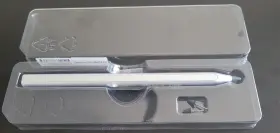
( Brand: Hp ), ( Manufacturer Part Number: TPA-M002P ), ( Model: X2 11 TPA-M002P ), ( Compatible Brand: For Hp Chromebook X2 ), ( Type: Stylus ), ( Color: Silver ), ( Material: Plastic ), ( Country/region Of Manufacture: United States )
Review HP Stylus Pen For Chromebook X2 Series
Introducing the HP TPA-M002P Stylus Pen, an essential accessory for your HP Chromebook x2. Designed specifically for the Chromebook x2, this pen delivers a natural and intuitive writing experience, allowing you to take notes, draw, or sign documents with ease.
The HP Stylus Pen boasts a sleek and modern design, with a matte black finish that looks great and feels comfortable in your hand. It features a fine, 1024-level pressure sensitivity tip, which provides an accurate and responsive drawing experience. The tip is also replaceable, ensuring that your stylus will last for a long time.
The pen has a compact and portable design, making it easy to carry with you wherever you go. It attaches magnetically to the side of your Chromebook x2 for convenient storage and easy access when you need it. The pen also comes with a built-in holder that can be attached to the side of your Chromebook for even more secure storage.
The HP Stylus Pen works wirelessly with your Chromebook x2, allowing for a clutter-free workspace. It does not require any batteries or charging, making it ready to use right out of the box. The pen also supports palm rejection technology, which means that your hand won't interfere with your drawing or writing, giving you a more natural and comfortable experience.
In summary, the HP TPA-M002P Stylus Pen is an excellent accessory for your HP Chromebook x2. With its fine, pressure-sensitive tip, sleek design, and convenient storage solution, this pen is perfect for taking notes, drawing, or signing documents. Its wireless functionality and battery-free design make it ready to use right out of the box, making it a must-have accessory for anyone using a Chromebook x2.
HP TPA-M002P Stylus Pen for Chromebook x2: A Detailed Analysis
The HP TPA-M002P stylus pen is designed specifically for the HP Chromebook x2. Here is a balanced assessment of the stylus pen, outlining its key advantages and disadvantages.
Advantages:1. Compatibility: The HP TPA-M002P stylus pen is exclusively designed for the HP Chromebook x2, ensuring seamless integration and compatibility.
2. Pressure Sensitivity: The pen offers pressure sensitivity, allowing for varying line thicknesses based on the pressure applied, making the drawing experience more natural.
3. Low Latency: The low latency of the stylus pen ensures that the line appears on the screen as soon as you draw it, enhancing the overall drawing experience.
4. Ergonomic Design: The pen has an ergonomic design that fits comfortably in the hand, reducing fatigue during extended use.
5. Easy to Use: The pen is easy to use, with no complicated setup or calibration required.
Disadvantages:1. Battery-Operated: The pen requires a battery to function, which could be a disadvantage if you frequently draw and need a constant supply of power.
2. Limited Software Compatibility: The stylus pen may not be compatible with all software applications, limiting its versatility for some users.
3. Durability: Some users have reported issues with the durability of the pen tip, which may wear down over time.
4. Price: The HP TPA-M002P stylus pen is priced higher than some other stylus pens on the market, which may be a concern for budget-conscious buyers.
Conclusion:The HP TPA-M002P stylus pen offers a number of advantages, including compatibility, pressure sensitivity, low latency, ergonomic design, and ease of use. However, it also has some disadvantages, such as battery operation, limited software compatibility, durability concerns, and a higher price point.
Recommendation:If you are a frequent user of the HP Chromebook x2 and value the features that the HP TPA-M002P stylus pen offers, such as pressure sensitivity and low latency, then it may be worth the investment despite its disadvantages. However, if you are on a tight budget or prefer a more versatile stylus pen with a longer battery life, you may want to consider alternative options. Ultimately, the decision depends on your specific needs and preferences.
Details:
Stylus PEN For HP Chromebook X2 11 series.
specifications stylusseeker:
- brand: Hp
- mpn: Tpa-m002p
- model: X2 11 Tpa-m002p
- compatible brand: For Hp Chromebook X2
- type: Stylus
- color: Silver
- material: Plastic
- country/region of manufacture: United States
seller stylusseeker:
- city: Lewisville, Texas
- # reviews: 180
- rating: 100.0%
payments stylusseeker:
- credit card: Discover
- wallet: Apple-pay
- other
general stylusseeker:
- condition: Open box
- Computers/Tablet's Networking > Tablet eBook Reader Accs > Styluses
offer stylusseeker:
- sold: 0
- quantity: 1
- best offers: True
- options: Ship-to-home
- availability: In Stock
- started: April 7, 2025
shipping stylusseeker:
- carrier: USPS
- transit: 3-9 Days
- cost: $4.25
- service: USPS Ground Advantage
- type: Calculated
- class: Standard
returns stylusseeker:
- policy: No Returns
Hp TPA-M002P Is Similar To:
- Hp Spen-hp-01 Read Genuine Stylus Active Pen 905512-001 For Series Used (45.9% similar) Used, untested, great physical condition, comes as is, no other accessories included. 30 day warranty. Read genuine stylus active pen SPEND-HP-01 905512-001 for Hp series used. Questions or concerns...(May 24th, 2024)
- Hp 3v1v2aa abl Wireless Rechargeable Usi Pen Stylus Compatible With Chromebook X2 11 (44.4% similar) This wireless design enhances convenience and ease of use, providing freedom movement while interacting with the touchscreen. Precision input: the Hp wireless rechargeable USO pen stylus delivers accurate and precise input on the touchscreen of chromebook x2 11, making it ideal for tasks such as...(May 24th, 2024)
- Hp L04729-003 New Genuine Pen For G3 Stylus Active L57041-001 (35.7% similar) This active pen is perfect for your tablet or ebook reader, allowing you to create, edit, sign documents with ease. Actual battery conditions will vary between units. Enhance your digital writing...(May 31st, 2024)
- Hp M23869-001 Genuine Rechargeable Stylus Mpp 2.0 Tilt Pen Spectre Envy X360 (33.1% similar) This is for the pen only. Genuine Hp rechargeable stylus mop 2.0 tilt pen...(June 4th, 2024)
- Hp Spen-hp-02 Genuine Stylus Active Pen (40% similar) Whats included: if it is not pictured, included. Some cosmetic flaws appear minimal or not at all in pictures. For example: battery, retail packaging, manual, or any other accessories if not in pictures are not included.: used, pre-owned item. Genuine Hp stylus active pen...(June 7th, 2024)
- Hp Hsa-w001p Genuine Rechargeable Stylus Pen Mpp2.0 Tilt Works (42.5% similar) Whats included: if it is not pictured, included. Hp rechargeable stylus pen MPP2.0 tilt HAS-W001P works. Some cosmetic flaws appear minimal or not at all in pictures. For example: charger, battery, retail packaging, manual, or any other accessories if not in pictures are not included...(June 7th, 2024)
- Hp L04729-002 Lot Of 10 Oem Rechargeable Active Pen G2 Stylus (25% similar) Lot of 10 oem Hp rechargeable active pen g2 stylus L04729-002...(June 13th, 2024)
- Hp 888182309308 Executive Tablet Pen G2 F3g73aa (26.5% similar) Would deal with again buyer: b e 125. Our team will do our best to resolve any issues. Item arrived quickly, no issues, will trade again for sure. Each package is insured for its value in case of loss or damage...(June 24th, 2024)
- Hp 630w7aa abl Slim Rechargeable Pen With Charger (36% similar) This pen is perfect for artists and writers who want a premium quality. W/ its slim design and rechargeable feature, you can take it anywhere go. It has a height of 0.310 inches, length 5.260 and width 0.280 inches. Get the Hp slim rechargeable pen with charger now and enjoy convenience of a top...(June 25th, 2024)
- Hp 3j122aa abl Rechargeable Mpp 2.0 Tilt Pen (23.2% similar) Condition: used - item shows little signs of use. No other accessories are included. Exterior packaging is damaged defective or broken .e. Item is tested and fully working. Warranty covering: damaged in shipping .e.: includes pen, 2 tips, charging cable, and retail box...(June 28th, 2024)
- Hp L85659-001 Rechargeable Mpp 2.0 Tilt Stylus Pen In Original Box 5.5 Inches (37.5% similar) In original box...(July 2nd, 2024)
